
One live events hub
Cricket, football, boxing and motorsport all sit in one tab, so you're not hunting through apps to find what's on.
Cricfy TV pulls cricket (IPL, PSL & internationals), football and F1 racing into a single live‑events feed — with match alerts, a floating player and a low‑data mode that keeps playing when the signal drops.
Cricfy TV is a third‑party app. This site hosts no video content and shares guidance for information only — please follow your local streaming laws.
So what is it, really? Cricfy TV is a small Android app with one job. You open it, see what's live, and start watching. No bouncing between five different apps on a busy match night — cricket, football and the rest just sit together on one screen.
Cricket is clearly the main event here. The app gets busy during the big seasons (IPL, PSL, the T20 leagues, bilateral tours, the ICC events) when there's basically a game every single day. Football, boxing and a bit of motorsport come along for the ride too, which is nice if you follow more than one sport.
A few small things are what make it stick. Set an alert so a start time doesn't sneak past you. Pop a match into a floating window while you do something else. Cast it to the TV. Or drop to low-data mode on the days your signal just won't behave.
Cricket, football, boxing and motorsport all sit in one tab, so you're not hunting through apps to find what's on.
It's a 17.5 MB install that happily runs on Android 5.0 and up — so older and budget phones don't get left out.
Between low‑data mode and a few server options, playback tends to hold up even when your mobile signal doesn't.
Here's what each screen of the app actually does — from the live events feed to the player, channels and the handy options in between.
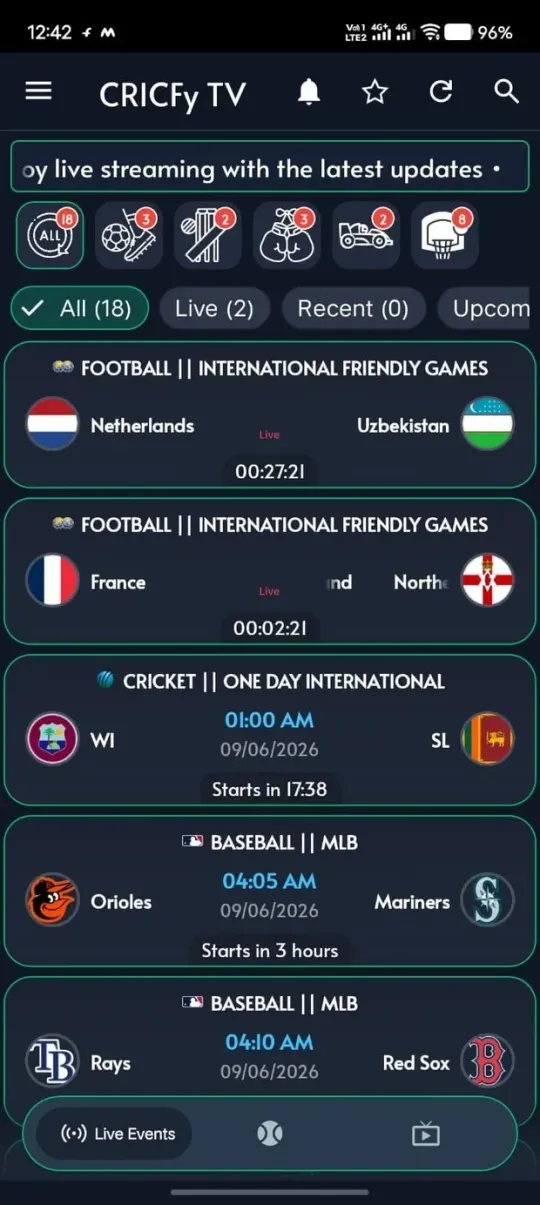
Open the app and the first thing you see is what's actually on — football, cricket, baseball, the lot. The sport icons up top filter things down, and the All / Live / Recent / Upcoming tabs keep it tidy. Every card gives you the teams, the start time and a little countdown.
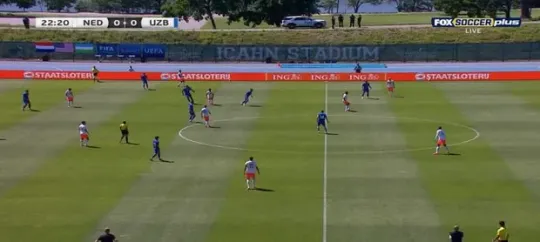
Tap any live game and it drops you straight into a full‑screen player. When the source allows it, the picture's crisp HD with a tidy scoreboard on top — so you're not squinting to catch the score.
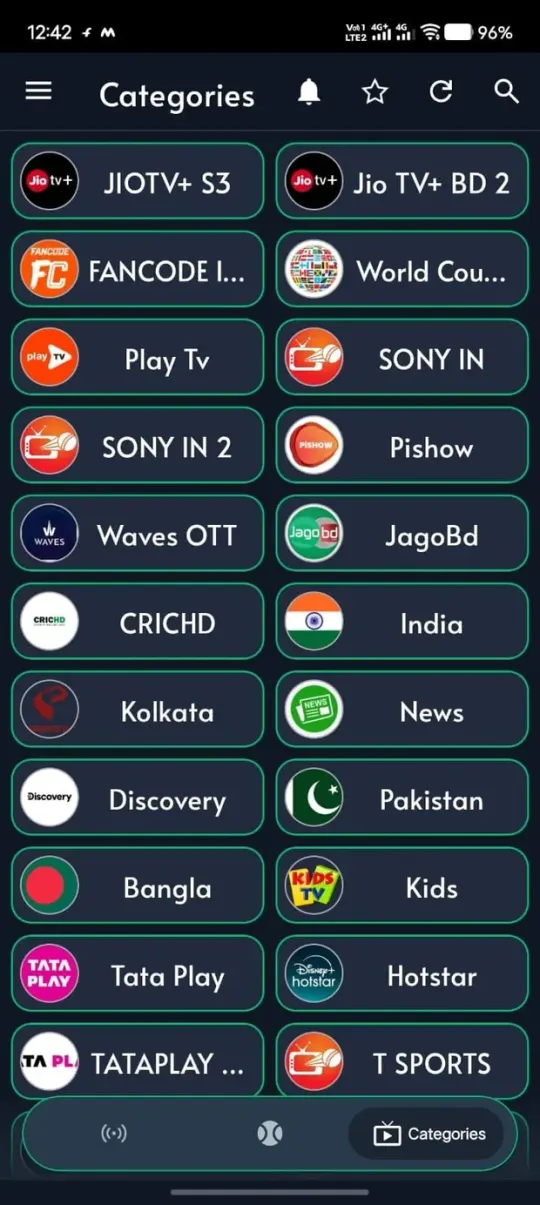
It's not just live events. There's a big list of TV channels sorted into sensible groups — JioTV+, Sony, Hotstar, Waves OTT, T Sports and plenty more — and hopping between them takes one tap.
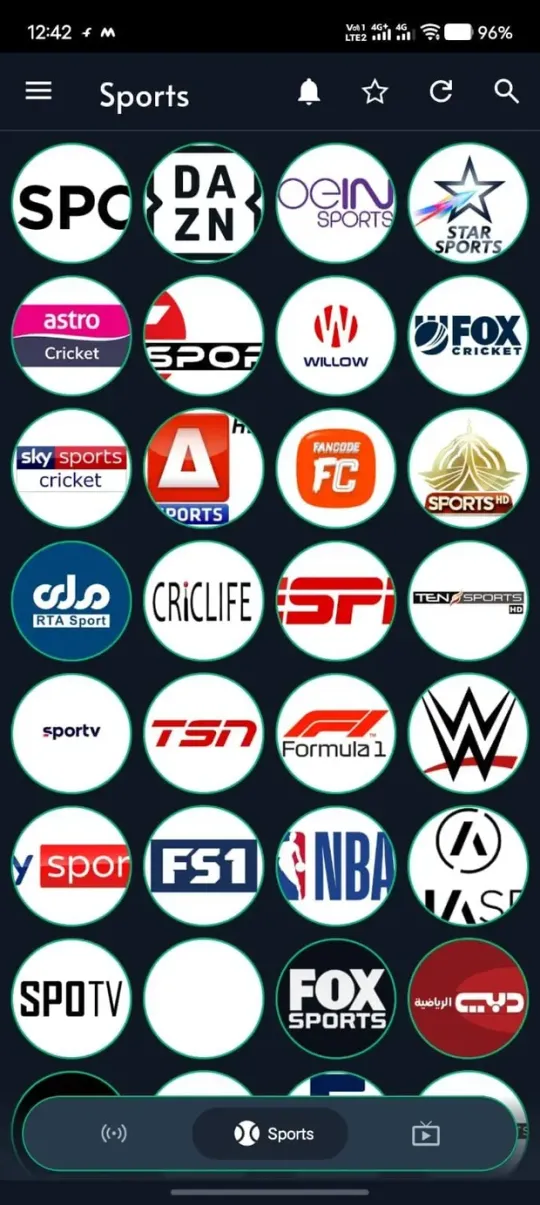
The sports section alone is a wall of channels: Star Sports, Sky Sports, Fox and Sky Cricket, ESPN, Ten Sports, Willow, F1, NBA, WWE. Cricket, football, racing — it's mostly covered.
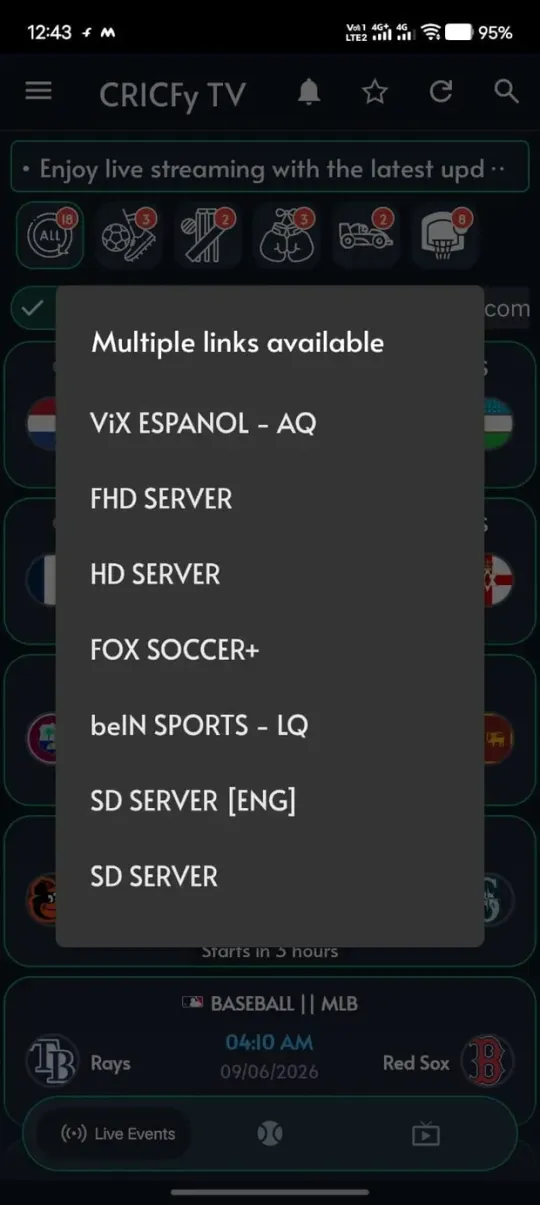
The bigger matches usually come with a few links to pick from — FHD, HD, FOX Soccer+, beIN Sports, SD. So if one server starts to choke mid‑over, you just hop to the next one.
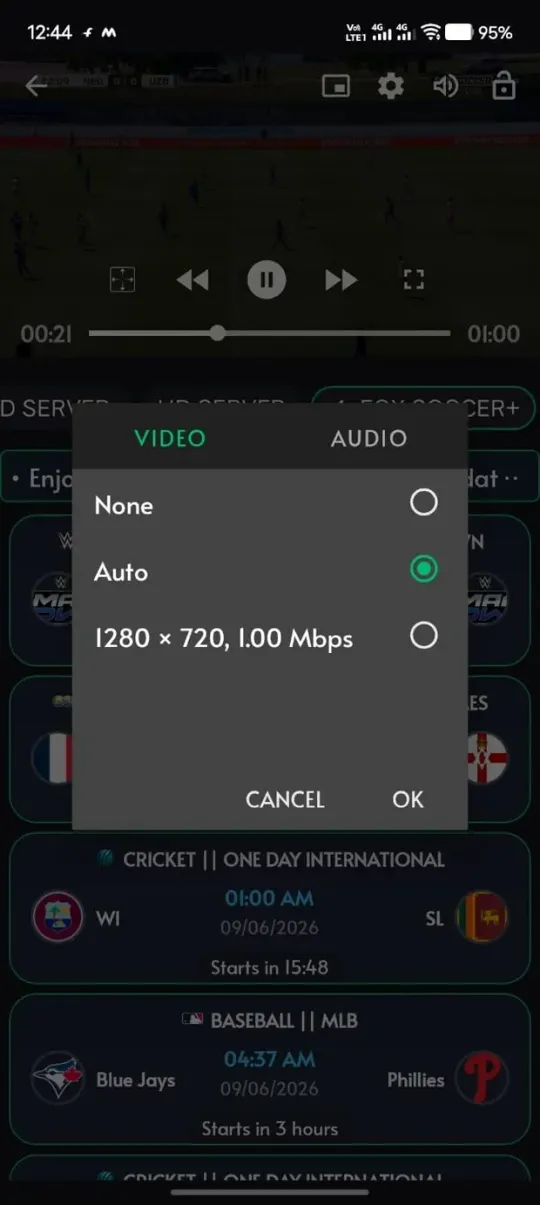
Leave it on Auto or pin it to something like 720p, and swap the audio track while you're there. Handy when you're trying to save data, or when your connection clearly isn't in the mood for HD.
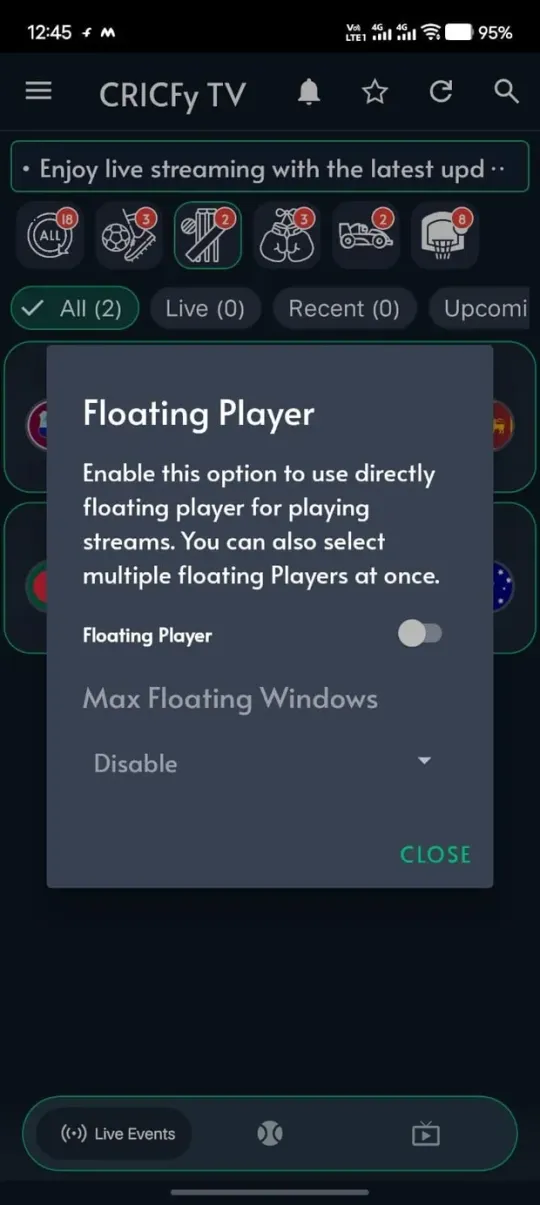
Flip on the floating player and the match shrinks into a little window you can move around. Reply to a message, check the full scorecard, do whatever — the game keeps running. You can even stack a couple of windows if you're greedy.
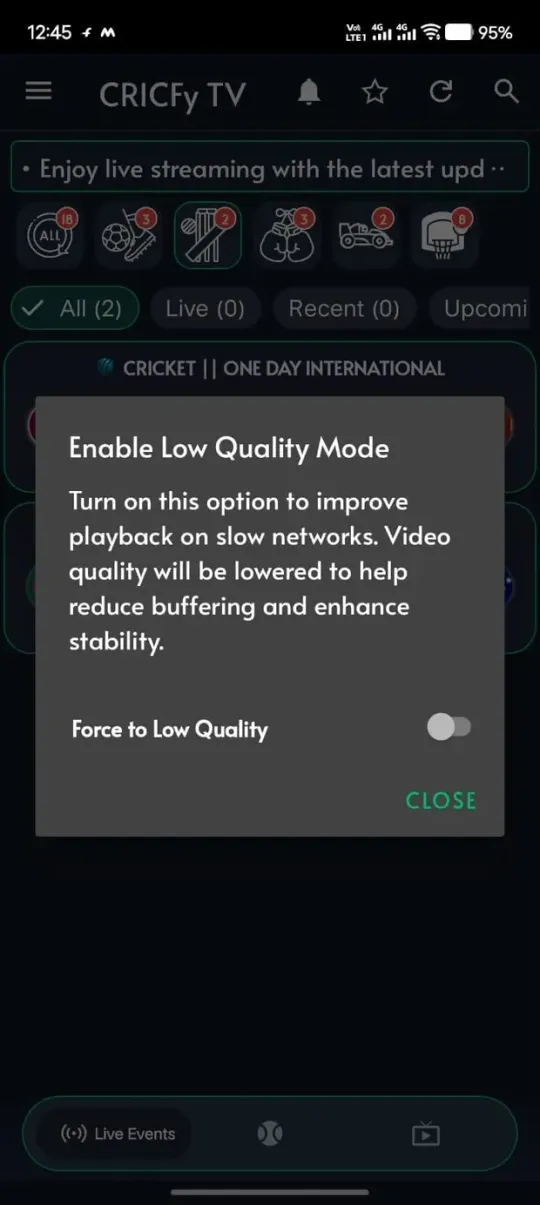
Low‑quality mode drops the resolution on purpose to cut the buffering and hold the stream together — exactly what you want on weak Wi‑Fi or when your data's nearly gone.
Cricfy TV installs from an APK file rather than the Play Store. Grabbing it takes under a minute on any Android phone.
Open this page on your Android phone — it always points to the latest verified Cricfy TV build (v6.7).
Tap the download button to save the Cricfy TV APK. It will land in your browser's Downloads folder in a few seconds.
Before opening it, head to Settings → Security and be ready to allow installs from your browser or file manager.
Real screenshots of the install flow on Android, explained one step at a time. The whole thing takes about a minute.
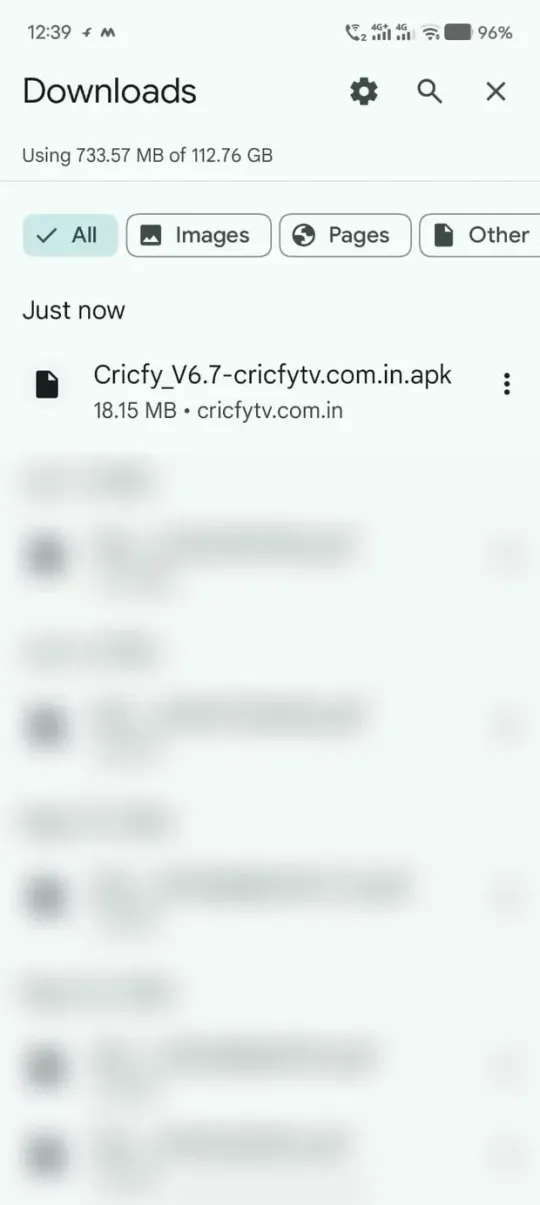
Open your browser's Downloads (or the file manager) and find the freshly saved Cricfy_V6.7.apk under “Just now”. Tap it to begin.

If your browser warns that it can't install unknown apps from this source, tap “Settings” on that prompt to continue.
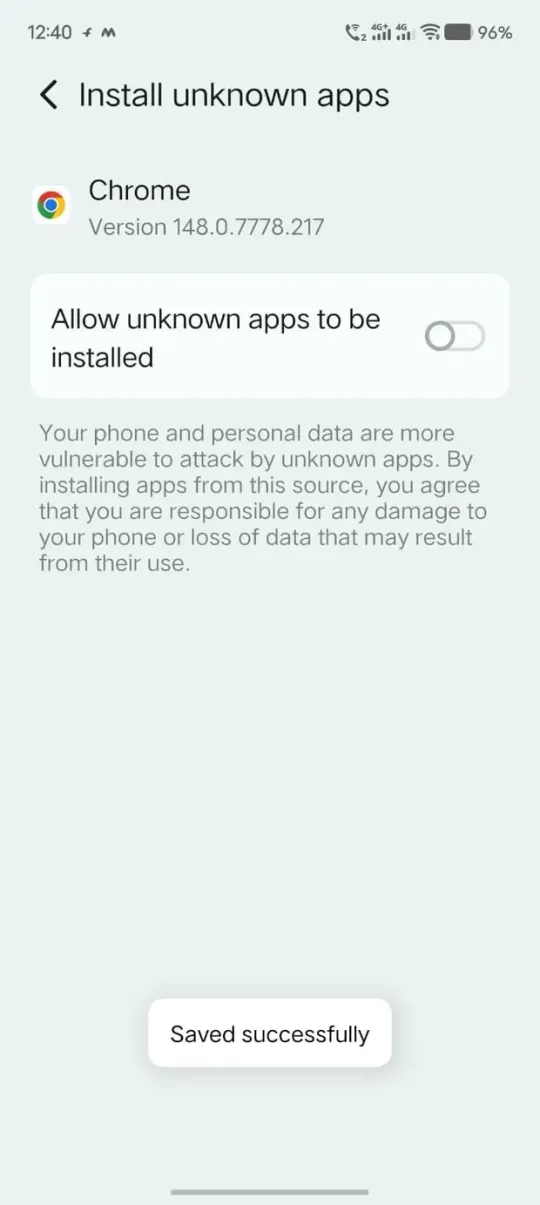
On the “Install unknown apps” screen, turn on “Allow from this source”. This lets your phone install the APK outside the Play Store — you only do this once.
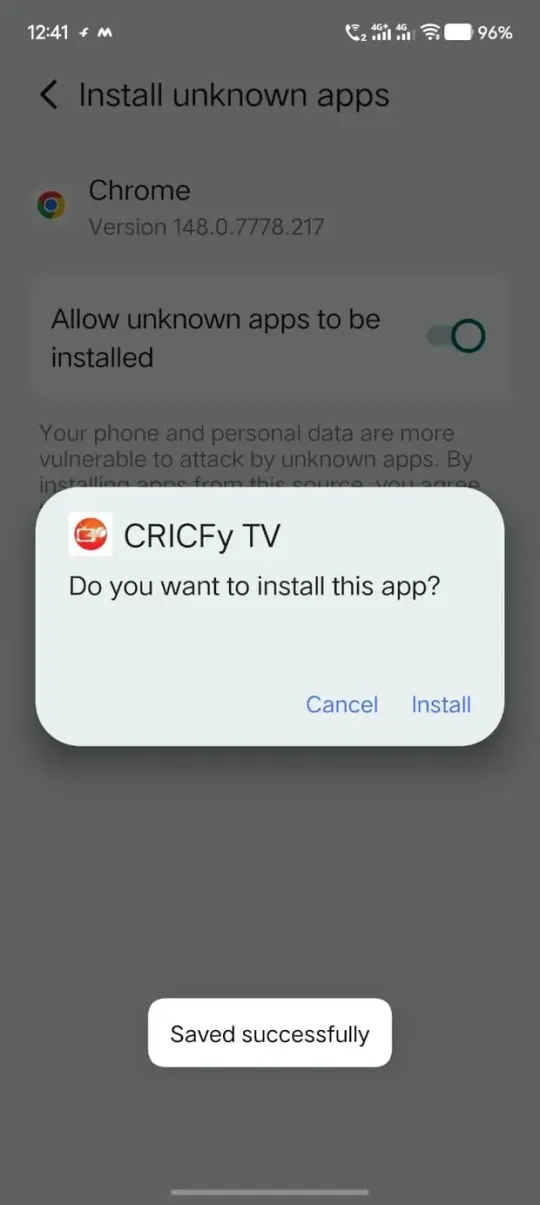
Go back and tap Install on the “Do you want to install this app?” dialog. Wait a few seconds while Cricfy TV is set up.
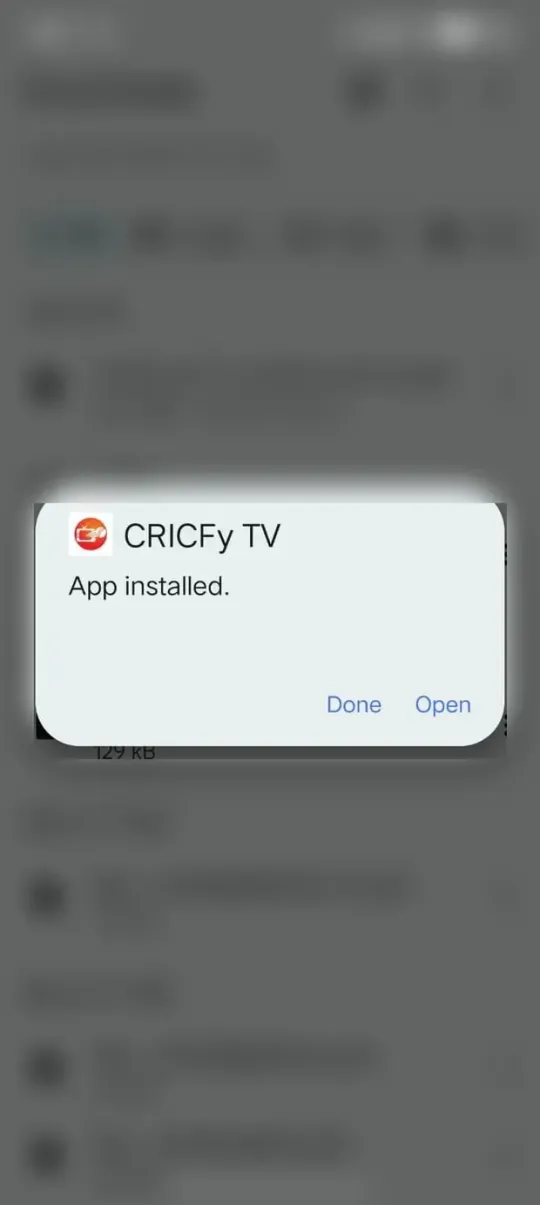
Once you see “App installed”, tap Open to launch Cricfy TV and jump straight into the live events tab.
Note: personal files visible in some Downloads screenshots have been blurred for privacy — they are not part of the app.
Cricfy TV updates from an APK, not the Play Store, so it's worth checking for a newer build before major tournaments.
Open Cricfy TV, go to the menu and note the version number. Compare it with the latest (v6.7) shown on this site.
Grab the current APK from the download button on this page — newer builds ship better servers and fewer bugs.
Open the new APK and install it. Android updates the app in place, so your favourites and settings are kept.
Launch Cricfy TV again — you're now on the latest version, ready for the next big match.
Tip: you can always see every release on our version history.
A straight, honest look at how safe Cricfy TV is, what data is involved and where it works.
We run the APK through the usual security checks (Security Verified, McAfee, F‑Secure) before putting it up, so you're not installing something blind.
There's no account to make and no personal details to hand over. This site itself only keeps basic, non‑identifying analytics — nothing that points back to you.
It's a third‑party app, so a few events or servers might not show up in every region, or on older builds. Staying on the latest version usually sorts that out.
Cricfy TV is unofficial and we don't host any video ourselves. Stick to the streaming laws where you live, and lean on official broadcasters when you can.
Bottom line? Cricfy TV is a free, no-fuss Android app that puts live cricket, football, F1 and more into one feed, then throws in the useful stuff — several servers per match, HD when your line can handle it, a floating player and a low-data mode. If you just want one place to see what's on and hit play, it gets you there.
It's not perfect, and I won't pretend otherwise. It's a third-party app, so picture quality rides on your connection, you'll meet the odd ad, and there's no Play Store listing — you install and update from an APK. Keep your expectations sensible, stay on the newest version, mind your local streaming laws, and honestly it's a handy little companion through a packed sports calendar.
Quick answers to the things people most often ask before installing Cricfy TV.
Reasonably, yes — we scan the APK with the usual tools (Security Verified, McAfee, F‑Secure) before it goes up. But it's a third‑party app at the end of the day, so use a bit of common sense: grab it from a source you trust, give it a quick scan, and glance at the permissions before you tap install.
Most of the time, yes — a VPN isn't required. Every so often a particular event or server is tied to one region, and a VPN can get you past that. Just keep whatever you do within the streaming rules where you live.
Yep. There's a cast button in the player that throws a supported stream onto a Smart TV or Android TV, as long as they're on the same Wi‑Fi. And if you'd rather skip the phone, the app runs on Android TV directly.
Nine times out of ten it's a slow connection or a server that's getting hammered. First thing to try is switching servers for that match. After that: flip on low‑data mode, get closer to the router, or update the app, since newer builds usually have better servers.
Afraid not. It's Android‑only and ships as an APK, so there's no build for iPhone or iPad. On iOS you'd be looking at an official, licensed sports app instead.
It is — free to download, free to use. You'll catch the odd ad now and then (that's what keeps the lights on), but there's nothing to buy and no subscription.
It's built around live events first. Depending on the version you might find highlights or short clips, but for proper full‑match replays you're better off with an official broadcaster.
Nope. Being a third‑party app, it never lands on the Play Store — so you install the APK yourself and flip on “install from unknown sources” once while you're setting up.